
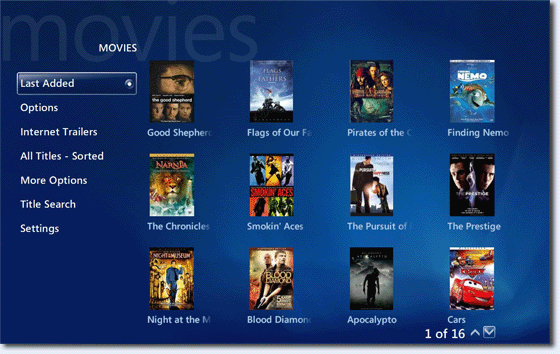
One thing that makes media center computers different than Tivo or a cable box is the ability to archive all your DVDs on a hard drive. My Movies is a well-known plugin for Vista Media Center that catalogs your ripped movies and downlaods associated meta data from your movie files. Accessing your movies through the Vista Media Center interface is a another step in the evolution of the home theater computer.
My Movies 2.31, made available to the general public last week, is currently in pre-release phase of development. Version 2.31 has added more support for HD-DVD movies and Blu-Ray discs (CyberLink PowerDVD Ultra is required) . Among the new features are:
- It is now possible to contribute disc id’s and search discs by id’s for HD-DVD and Blu-ray titles.
- My Movies now also functions as a data-provider for Media Center’s “DVD library” for the users that prefer to use this interface, or prefers to switch between them. When folder monitoring is enabled, My Movies automatically store meta-data for the folders to be seen by the “DVD library” or if folder monitoring is disabled, it is stored for a title when added or edited.
- The program is now able to automatically attach HD-DVD and Blu-ray cover underlays for HD-DVD and Blu-ray covers.
If you own a media center and a next generation DVD drive, My Movies is a great plugin for organizing your ripped movies, especially with the cost of storage dropping rapidly.
Mon, Jul 9, 2007
HD-DVD/Blu-Ray, Vista Media Center